
Java Constructors Guide
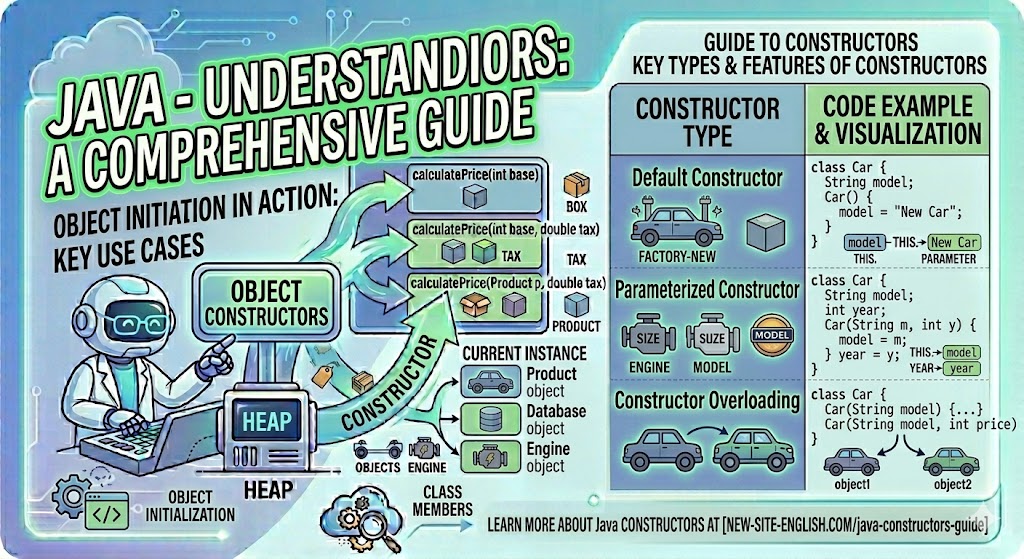

1. What is a Constructor?
In the Java language, there is a special construct known as a constructor, which initializes an object immediately upon its creation. When creating an object, the part that follows the new keyword is the constructor:
Box myBox = new Box();Let's add a constructor to the Box class right after the variables. The name of the constructor must match the name of the class it resides in, and its syntax is similar to that of a method. However, constructors do not have a return type. This is because the implicitly specified return type of a class constructor is the type of the class itself. In the constructor, we set the value 10 to the class variables:
public class Box {
double width;
double height;
double depth;

```
Box() {
    System.out.println("Constructing a Box object");
    width = 10;
    height = 10;
    depth = 10;
}

/**
 * Calculate the volume of the box
 *
 * @return volume
 */
double getVolume() {
    return width * height * depth;
}

```

}
public class BoxExample3 {
public static void main(String[] args) {
Box myBox1 = new Box();
Box myBox2 = new Box();
```
System.out.println("Volume: " + myBox1.getVolume());
System.out.println("Volume: " + myBox2.getVolume());
}
```
}
2. Default Constructor
The first examples of the Box class did not define a class constructor, yet we were still able to create objects. How was this possible? The reason is that if no constructor is explicitly defined in a class, Java creates a default constructor for that class. The default constructor initializes all instance variables to their default values. However, as soon as you define your own constructor in the class, the default constructor is no longer used. You could say a class with a default constructor looks like this:
public class Box {
double width;
double height;
double depth;

```
Box() {
}
...

```

}
3. Parameterized Constructor
Just like a method, a constructor can accept input parameters. Such constructors are also called parameterized constructors.
The following example declares a constructor with parameters, where three values are passed to initialize the three class variables:
public class Box {
double width;
double height;
double depth;

```
/**
 * Box class constructor
 *
 * @param w - width
 * @param h - height
 * @param d - depth
 */
Box(double w, double h, double d) {
    width = w;
    height = h;
    depth = d;
}

/**
 * Calculate the volume of the box
 *
 * @return volume
 */
double getVolume() {
    return width * height * depth;
}

```

}
Let's see how object creation has changed. Now, three values must be passed to the constructor to set the width, height, and depth. This constructor can be used instead of a setDim() method to set the required values during object creation, which is more convenient. Note the commented-out line – we cannot create an object using the default constructor because we have defined our own constructor in the class:
public class BoxExample4 {
public static void main(String[] args) {
Box myBox1 = new Box(10, 20, 15);
Box myBox2 = new Box(3, 6, 9);
// We cannot use the default constructor
// Box myBox3 = new Box();

```
    System.out.println("Volume: " + myBox1.getVolume());
    System.out.println("Volume: " + myBox2.getVolume());
}

```

}
To make the commented-out line work, simply add another constructor to the Box class:
public class Box {
double width;
double height;
double depth;

```
/**
 * Box class constructor
 *
 * @param w - width
 * @param h - height
 * @param d - depth
 */
Box(double w, double h, double d) {
    width = w;
    height = h;
    depth = d;
}

Box() {
}

/**
 * Calculate the volume of the box
 *
 * @return volume
 */
double getVolume() {
    return width * height * depth;
}

```

}
The constructor code should only handle object initialization. You should avoid calling other methods from a constructor, except for those marked as final. A method could be overridden in a subclass and distort the object initialization process.
Please log in or register to have a possibility to add comment.